Service and point of sale
Coordinate orders, kitchen and service.
CLÉ POS follows the whole service: the order at the table, the ticket in the kitchen, the check, the tip and the end of the day.
Benefits
- Smooth serviceTables, counter and bar on the same screen; the ticket reaches the kitchen instantly.
- Coordinated kitchenDisplays per station with timing and priorities, or printed tickets.
- Clear closeCash or card payments, tips per server and end-of-day reports with explicit differences.
Essential features
- Tables and ticketsDining room, terrace and counter; modifiers and kitchen notes.
- Kitchen displayBoards per station: kitchen, bar and pass.
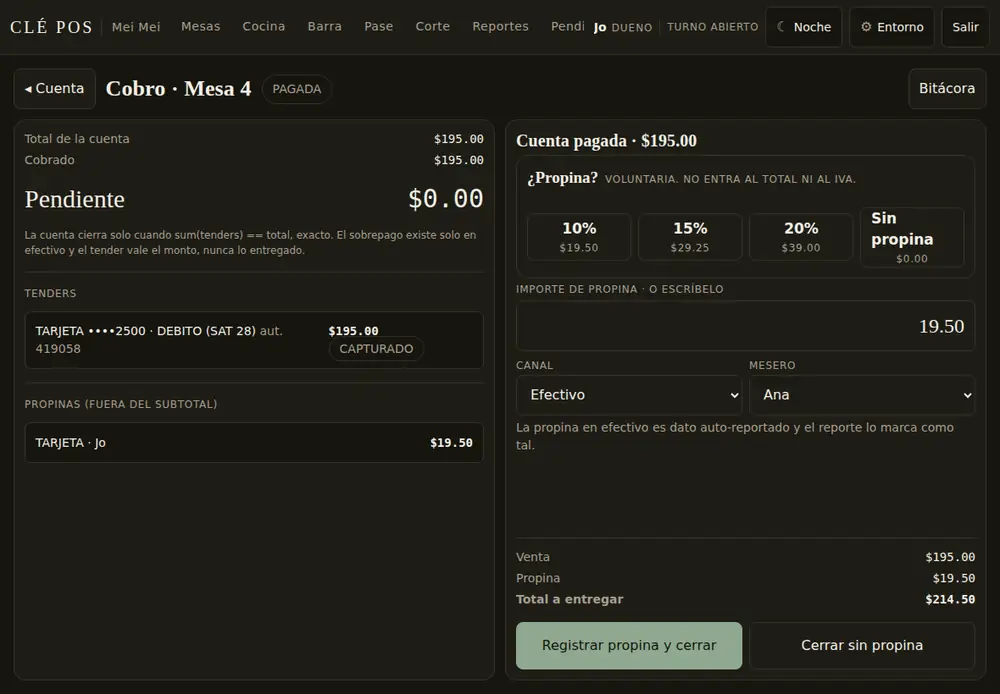
- Payments and tipsCash, card and split payments; tips per server.
- X and Z reportsCash count and end-of-day close with visible differences.
- Permissions by roleServer, cashier, manager and owner with defined actions.
- ContinuityService continues if the connection drops and syncs when it returns.
Example · A table from start to finish
From the order to the closed check, in three steps.
- 1Take the orderTable 12 · 4 guests2 Margherita · 1 Diavola · 1 Tiramisù
- 2KitchenTicket on the display · 6 minTiramisù marked to fire later
- 3Close the checkCard with tip · printed receiptMX$1,650.00 + MX$165.00
Card payments can be taken with your current bank terminal or, when CLÉ Pay is available, with a terminal connected to the POS.
Questions before you buy
- What do I need to start?
- A tablet or touchscreen computer with a browser, and a thermal printer if you print tickets or receipts.
- What equipment is compatible?
- Devices with a current browser: tablet, computer or kitchen screen. Tested printer and terminal models are confirmed when you request access.
- What can I keep from my current system?
- Your bank terminal and your bank account. The menu can be imported for review before use.
- What setup and support exist?
- Menu, floor and station setup guided remotely by the CLÉ team. On-site setup and support terms are disclosed at signup.
- What does the subscription include, and what is billed separately?
- The subscription includes the point of sale, the kitchen display and updates. Equipment and printers are quoted separately; see Pricing.
- What is available and what is the next step?
- Private beta by invitation, in testing with the CLÉ team. Planned launch January 2027. Next step: request access.
Next step
Request access to the private beta.
Planned launch · January 2027, solution by solution.